
Ten steps, from first tutor to production.
With a general model, the chat is the easy part.
One step deeper each time.
Your first tutor
Make it yours
- Remember the learnerPicks up where they left off.1:43
- Show the safety statusYour app acts on each turn.2:01
- The team behind every turnShow the exchange, or keep it behind.Coming soon
- Age and reading levelNine years old, or ninety.Coming soon
Ship it
- Records and responsibilitiesProgress, export, erase.Coming soon
- Cost and reliabilityA cost meter, and clean retries.Coming soon
- Going to productionThe same app, ready to ship.Coming soon
Start anywhere.
Open step 1Every step is a kit.
- The filmWatch it built.
- The promptsPaste into your coding assistant.
- The repositoryA start folder and the finish.
- The guideThe same steps, by hand.
- The checkWhat you should see.
- The downloadOne click to start.
Start anywhere. Every step has its own folder.
Read the integration guideHand it to your coding assistant.
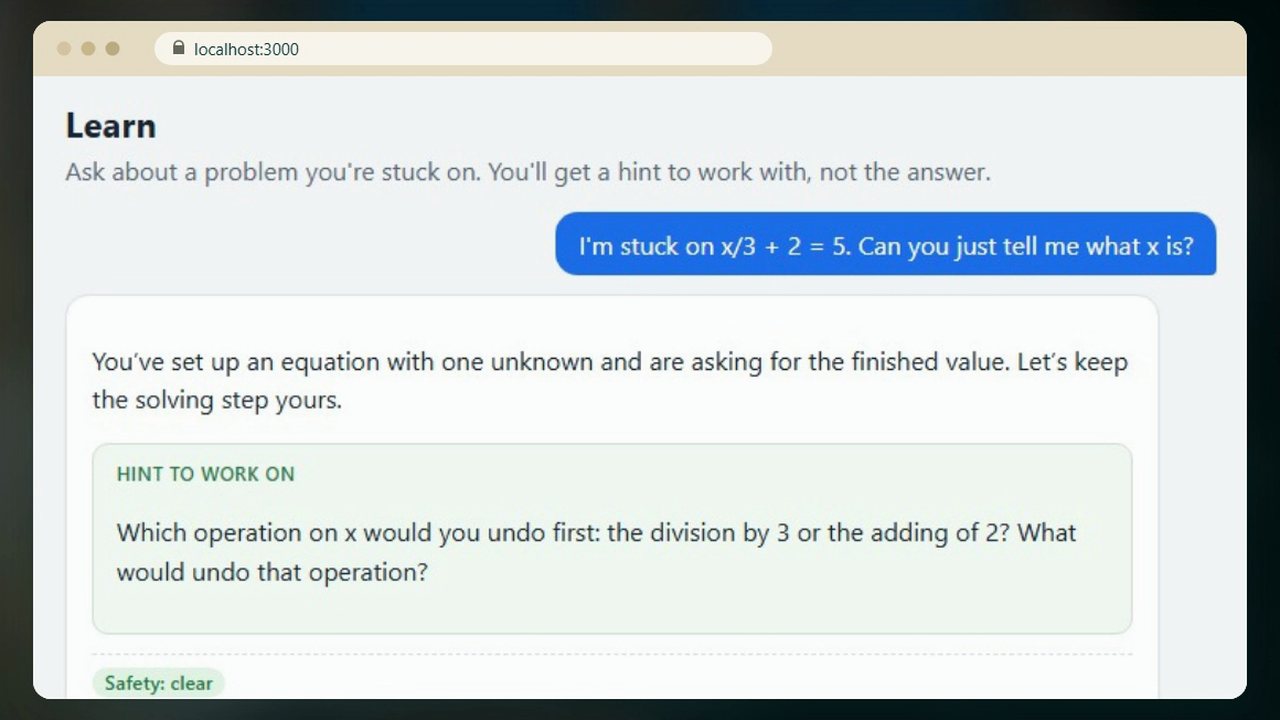
Goal: a chat page where a learner asks for help with a problem and gets a hint from Learn, not the answer.

Read first: https://developers.foreverlearning.ai/docs/learn/ (the Learn integration guide), and the Learn OpenAPI contract and the runnable TypeScript example linked there. Use only what they describe.

Start from: an empty folder.

Build, in TypeScript on Node 24 or later:
1. A small server with one route that the page calls for each message. The route holds the key, prepares one Learn session per learner (task kind "homework"), and sends each message as a Guided turn.
2. A pseudonymous learner id for each new browser, kept in a cookie.
3. A minimal chat page. Show each reply in it, with both parts: what the tutor says (the conversation part) and the hint to work on (the display part, in Markdown). Under the reply, show the safety status and the receipt: the request id, the turns billed and the charge.
4. Treat a turn as done only when Learn's final done event confirms it. Then append its receipt (request id, session id, learner id, posture, safety level, billable units, charge) as one JSON line to receipts.jsonl on the server.
5. A package.json whose `npm start` serves the page at http://localhost:$PORT (default 3000), and a README that says how to run it.

Rules:
- Keep the API key on the server, in the FOREVERLEARNING_API_KEY environment variable. Read the API host from FOREVERLEARNING_BASE_URL. If FOREVERLEARNING_ASSIGNMENT_ID is set, send it as X-Assignment-Id; it can be empty when your key has one assignment. Never send the key to the browser, print it or write it into a file.
- Render each reply's Markdown (headings, lists, bold, code) and its math. Learn writes math between \( and \) inline and between \[ and \] for display math, which often spans several lines. Use a math library, loaded the way your page loads its other code, so the learner never sees raw notation.
- Use a pseudonymous learner id, never a name or an email. Make a new random id for each new browser; never reuse a fixed test id.
- Each message is a real turn, at 5¢ per turn that succeeds. Test with two or three messages, no more. Test as one learner, keeping the same cookie for all your test messages: a test key admits only a limited number of new learners a day.

Done when:
- you ran `npm start`, sent a message through your route, and the tutor's hint came back
- the safety status and the receipt show under the reply on the page
- receipts.jsonl has one line for each confirmed turn
Paste the prompt.
- A hint arrives in the chat
- The safety status shows
- The receipt shows one turn
Check what you see.
Or follow the same steps by hand.
Read the integration guideYour first tutor in ten minutes.
From first tutor to production. One API call away.
Start building